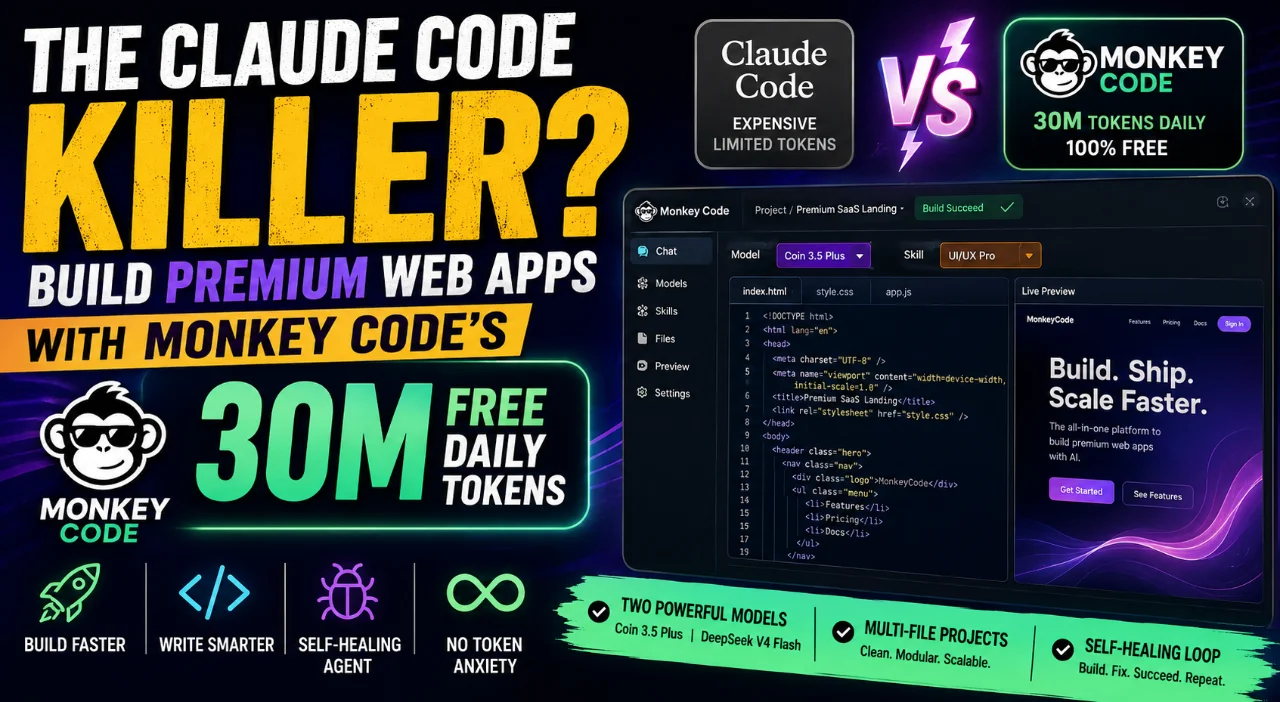
The Claude Code Killer? How Monkey Code Is Changing AI-Powered Web Development With 30M Free Daily Tokens
Could Monkey Code be the next big alternative to Claude Code? Explore how its reported 30 million free daily tokens, powerful AI models, specialized development skills, and self-healing agentic workflow are helping developers build premium web apps faster—without the constant worry of token limits and AI costs.
The Claude Code Killer? How to Build Premium Web Apps with Monkey Code’s Free 30M Daily Tokens
AI-assisted software development is entering a very different phase. A few years ago, using AI to write code felt like having an unusually fast autocomplete tool. Today, the most interesting AI development platforms are trying to do something much bigger: understand an entire project, plan changes, write multiple files, run the application, inspect errors, fix problems, and continue iterating until the software actually works.
That shift has created a new category of developer tools often described as agentic coding environments. Claude Code is one of the best-known examples, but it is no longer alone. A growing number of platforms are trying to make AI agents capable of handling increasingly large portions of the software-development lifecycle.
One platform attracting attention in this space is Monkey Code. Its biggest headline is difficult to ignore: a reported 30 million free tokens per day. For developers who regularly use AI coding agents, that number immediately raises an obvious question:
Can a platform offering this much free AI usage become a serious alternative to premium coding agents such as Claude Code?
The answer is not as simple as saying yes or no. Token limits are only one part of the equation. Model quality, agent behavior, development environments, debugging capabilities, project context, reliability, architecture, and the quality of the developer's instructions all matter.
Still, Monkey Code is interesting because it attacks a problem that every heavy AI-assisted developer eventually encounters: token anxiety.
When every request consumes paid usage, developers naturally become careful. They may hesitate before asking an AI to completely redesign a page, experiment with another architecture, refactor a large module, or throw away an approach that is not working. When the marginal cost of experimentation becomes extremely low, that mindset changes.
This article takes a detailed look at Monkey Code, its development workflow, model selection, specialized skills, agentic behavior, token economics, practical limitations, and the kind of developer who could benefit from it.
Why AI Coding Costs Matter More Than Ever
The economics of AI development are different from traditional software development. A developer working manually might spend several hours implementing a feature. With an AI agent, the human may provide a specification and let the agent perform dozens of operations in a much shorter period.
But those operations are not free in terms of model usage.
An agent may need to read existing source files, understand dependencies, inspect configuration, search for relevant functions, modify several files, run a build, read the resulting error, investigate the stack trace, modify another file, run the build again, and repeat the process.
A simple instruction such as "add authentication" can therefore become a surprisingly large reasoning and context workload.
This is why the economics of agentic coding are fundamentally different from asking a chatbot to explain a programming concept.
- A normal chatbot request may involve one answer.
- A coding agent may perform dozens of development actions.
- A complex project may require hundreds of iterations.
- Large repositories require substantial context to understand existing code.
- Debugging often consumes additional tokens after the initial implementation.
For serious developers, the result is a psychological limitation as much as a financial one. You begin thinking about the cost of every experiment.
That is exactly where a large free token allowance becomes interesting.
What Is Monkey Code?
Monkey Code is positioned as an AI-powered development environment designed around agentic software creation. Instead of treating AI as a place where you simply ask questions and copy the resulting code, the workflow is centered around allowing the AI to participate directly in the development process.
The distinction sounds small, but it changes the experience considerably.
Imagine you want to build a modern SaaS dashboard. With a conventional chatbot, you might ask for the HTML, then ask for CSS, then copy everything into your project. If the layout breaks, you return to the chatbot and paste the error or relevant code.
An agentic environment attempts to shorten that loop.
The agent can work with the project, understand its files, make changes, execute development commands, observe the output, and continue improving the implementation.
This creates something closer to a collaborative engineering workflow.
The human still provides direction and makes important decisions, but the AI can handle many of the repetitive implementation and debugging tasks that would otherwise interrupt the developer's concentration.
Why the Environment Matters
The development environment is arguably just as important as the model itself. A powerful model inside a poor workflow can still produce a frustrating experience. Conversely, a well-designed agentic environment can make a capable model considerably more useful.
Monkey Code's appeal comes from combining model access with an environment designed around project-level development.
For developers, that means the question is no longer simply "Which AI model writes the best code?"
The more useful question is:
"Which environment lets the AI and developer complete real software projects with the least friction?"
The 30 Million Token Question
The most eye-catching part of Monkey Code's offering is the reported 30 million free tokens per day.
For someone who occasionally asks AI to generate a small function, that may not sound particularly important. For an agentic developer, however, it can be a very different story.
Large software projects consume tokens because the AI needs context. It may repeatedly inspect source files, configuration, dependencies, documentation, test output, and previous changes.
A generous allowance therefore provides room for experimentation.
| Usage Type | Typical AI Activity | Why Token Capacity Matters |
|---|---|---|
| Small Prototype | Generate a few files and test functionality | Allows rapid experimentation |
| Frontend Application | Components, styling, responsive layouts and interactions | Multiple iterations improve visual quality |
| Backend Service | APIs, database logic, validation and debugging | Complex logic can require repeated reasoning |
| Large Application | Multi-file changes, tests and architectural refactoring | Large context windows and repeated agent actions become important |
The real advantage is not simply that developers receive more output. It is that they can afford to iterate.
Suppose the first dashboard design feels ordinary. Instead of accepting it because another redesign would consume valuable usage, you can tell the agent to try a completely different visual direction.
If the second version is still not right, try again.
That freedom is extremely valuable during product development because the first implementation is rarely the best implementation.
Model Selection: One Model Does Not Have to Do Everything
Another interesting part of the workflow is the ability to choose between different models for different tasks.
In the development workflow discussed here, two models stand out: Coin 3.5 Plus and DeepSeek V4 Flash.
Coin 3.5 Plus for Frontend Work
Coin 3.5 Plus is positioned as the stronger choice for design-oriented development. This makes sense for projects where visual quality matters as much as functionality.
A premium frontend is not simply a collection of buttons and cards. The details matter.
- Spacing needs to feel intentional.
- Typography needs a clear hierarchy.
- Buttons need appropriate visual weight.
- Cards need consistent proportions.
- Animations should feel smooth rather than distracting.
- Responsive behavior should be considered from the beginning.
- Mobile layouts should not feel like compressed desktop layouts.
A design-focused model can therefore be useful when building landing pages, dashboards, ecommerce interfaces, SaaS products, consumer applications, and other visually demanding experiences.
DeepSeek V4 Flash for Logic-Heavy Work
DeepSeek V4 Flash is positioned more toward speed and logic-heavy implementation.
This makes it attractive for backend services, data processing, APIs, utility applications, debugging, and other areas where raw visual polish is not the primary requirement.
For example, if you are implementing authentication, database queries, validation rules, file processing, API endpoints, or business logic, a fast model can help you move through repetitive implementation work quickly.
The important lesson is that model selection should follow the task.
There is no reason to use the same model for every part of an application if the platform allows you to choose intelligently.
The Skill Matrix: The Secret Is Better Direction
One of the most overlooked aspects of AI-assisted development is the quality of the instructions given to the model.
A generic prompt produces a generic implementation surprisingly often.
For example, saying "build a modern login page" leaves an enormous number of decisions unanswered. What does modern mean? Glassmorphism? Minimalism? Material Design? Enterprise? Consumer? Dark mode? What about accessibility? Error states? Loading states? Mobile responsiveness?
Specialized skills can help narrow the model's behavior.
UI/UX Pro
A UI/UX-focused skill encourages the agent to think beyond functionality. The goal becomes creating an interface that feels deliberate and polished.
It can encourage responsive layouts, reusable components, visual hierarchy, appropriate spacing, consistent design tokens, modern CSS practices, and better interaction patterns.
Systematic Debugging
Debugging should not be treated as random code modification.
A systematic debugging workflow starts with reproducing the issue, identifying the relevant component, examining the error, understanding the root cause, making a controlled change, and verifying that the fix did not introduce another problem.
Brainstorming and Planning
This is particularly useful before development begins.
Instead of immediately generating thousands of lines of code, ask the agent to first understand the product. What are the users? What are the core workflows? What data exists? What are the main entities? Which parts should be reusable? What should be built first?
Planning before implementation can save a surprising amount of wasted AI usage later.
Test-Driven Development
TDD gives the agent something concrete to aim for.
Instead of simply saying, "make this work," you can define expected behavior through tests. The AI then has a measurable target and can iterate until the tests pass.
This is one of the clearest ways to transform AI-generated code from a guessing exercise into an engineering workflow.
The Self-Healing Loop
The phrase "self-healing" can sound like marketing language, but the underlying idea is straightforward.
Software development naturally involves a feedback loop:
- Write code.
- Run the application.
- Find a problem.
- Understand the problem.
- Fix the code.
- Run it again.
AI agents attempt to automate much of this loop.
Step 1: Initialize the Environment
The agent starts with the project and its development environment. This gives it a place to implement and test changes.
Step 2: Inspect the Project
Rather than guessing what already exists, the agent can inspect the project structure, relevant files, configuration, and dependencies.
Step 3: Implement the Feature
The agent modifies the appropriate files according to the specification.
Step 4: Run the Application
This is the critical part. Generated code should not simply be assumed to work. It needs to be executed.
Step 5: Read the Failure
If the build fails, the error message becomes feedback. A good agent uses that information rather than blindly rewriting unrelated code.
Step 6: Patch and Repeat
The agent applies a correction and runs the project again. This cycle can continue until the application reaches a successful state.
The difference between an AI that writes code and an AI that develops software is the feedback loop.
Testing Monkey Code With Real Projects
The best way to understand an AI development platform is to give it projects with different levels of difficulty.
A tiny calculator application is not enough. Almost every modern coding model can produce one.
A better evaluation uses several projects that test different capabilities.
Snake Game: The Logic Test
Snake is deceptively simple. The application needs a game loop, player movement, collision detection, food generation, scoring, and increasing difficulty.
It is a good test of state management and event-driven logic.
Because the scope is relatively small, it is also easy to determine whether the agent actually understands the requirements or is simply producing generic code.
Smart PDF Splitter: The Utility Test
A PDF splitting tool introduces a different category of challenges.
The user may provide a large document, specify page ranges, process the file, and download the resulting document. Handling a 172-page document also creates a practical test of indexing, file processing, browser behavior, and user feedback.
It is no longer just a visual exercise. The application has to perform a meaningful task.
Premium SaaS Landing Page: The Design Test
A premium landing page tests the AI's ability to create visual quality.
The page needs a strong hero section, clear typography, compelling calls to action, meaningful sections, animations, responsive behavior, and a visual system that remains consistent from top to bottom.
The interesting part is not whether the AI can produce a landing page. It obviously can. The question is whether it can produce one that feels intentionally designed rather than assembled from generic templates.
The Whiteboard Editor: Where Architecture Becomes Important
The whiteboard editor is perhaps the most interesting project in this kind of evaluation because it combines visual design with non-trivial application logic.
At first glance, a whiteboard seems simple. Draw something on the screen and move it around.
But the moment you introduce zooming, coordinates, multiple objects, layers, opacity, undo and redo, and export functionality, the architecture becomes significantly more complicated.
The application has to understand the relationship between screen coordinates and canvas coordinates. It needs to maintain object state. It needs to know which object is selected. It needs to maintain a history of changes.
That is where a monolithic implementation starts becoming painful.
A better approach is to divide responsibilities into multiple files and modules.
- Canvas rendering logic.
- Object management.
- Selection handling.
- History and undo/redo.
- Export functionality.
- User-interface controls.
- Styling and responsive behavior.
A multi-file implementation is not automatically good architecture, but it is generally a much better starting point than throwing everything into one enormous HTML file.
Why Modular Code Matters in AI Development
There is a temptation to judge AI-generated software purely by whether it works.
That is a mistake.
Professional software has to survive the next feature request.
If the application works today but adding tomorrow's feature requires rewriting half the project, the implementation is not particularly successful.
This is especially important with AI-generated code because the AI can produce a huge amount of code very quickly. That speed can hide architectural problems.
A developer should therefore ask:
- Are responsibilities separated?
- Are components reusable?
- Is business logic separated from presentation?
- Are database operations isolated appropriately?
- Are errors handled consistently?
- Can another developer understand the project?
- Can new features be added without rewriting existing functionality?
These questions remain important regardless of which AI tool is being used.
Understanding the Token Economics
Let's put the reported 30 million daily tokens into perspective.
If six experimental projects collectively consume approximately 10 million tokens, the average consumption would be around 1.66 million tokens per project.
At that average, 30 million tokens theoretically represents enough capacity for roughly 18 similar projects in a day.
Of course, real-world usage will vary dramatically. One project might consume far less, while a complicated application with repeated debugging and large context requirements could consume considerably more.
That is why these numbers should be viewed as a rough illustration rather than a guaranteed project count.
| Example Usage | Illustrative Consumption | Share of 30M |
|---|---|---|
| 500K tokens | Small development session | About 1.7% |
| 1M tokens | Moderate project iteration | About 3.3% |
| 2M tokens | Large design or development task | About 6.7% |
| 10M tokens | Multiple substantial projects | About 33.3% |
| 30M tokens | Reported daily allowance | 100% |
The important point is that the developer can spend more time thinking about the product and less time worrying about whether every experiment is financially justified.
The Hidden Cost of Unlimited-Looking AI
There is, however, another side to this.
When something feels free, developers can become careless with it.
More tokens can sometimes lead to more unnecessary iterations rather than better software.
A developer might ask the AI to redesign the same component five times without defining what is actually wrong. The agent may happily spend tokens generating alternatives without moving the project forward.
That is why good specifications remain essential.
The goal should not be to consume as many tokens as possible. The goal should be to use the available capacity to reach a better result.
Real-World Limitations
No matter how attractive a free AI development platform looks, developers should understand the operational limitations.
Development Environment Availability
Cloud development environments depend on infrastructure. During periods of high traffic, initialization may fail or sessions may become unreliable.
If you encounter an error such as being unable to create a development environment, do not immediately assume that your code is responsible.
Refreshing the session, closing unnecessary tabs, and starting a clean session can sometimes resolve temporary environment issues.
Single-Task Execution
Under the described free workflow, execution can be limited to one active task at a time.
That means you should plan your work sequentially.
- Finish the current feature.
- Verify the build.
- Review the implementation.
- Then move to the next feature.
For an individual developer, this is not necessarily a serious limitation. In fact, sequential development can sometimes encourage better discipline.
AI Still Makes Mistakes
This is perhaps the most important limitation of all.
A large token allowance does not make an AI agent infallible.
The agent can misunderstand requirements. It can introduce unnecessary abstractions. It can make incorrect assumptions about a database schema. It can fix a visible error while creating a subtle security or architectural problem somewhere else.
Human review remains essential.
How to Get Better Results From Monkey Code
If you decide to use an agentic development platform, your instructions should look more like an engineering specification than a casual chatbot request.
Instead of saying:
"Build me a premium ecommerce website."
Give the agent information about the product and its constraints.
- Define the target users.
- Define the primary workflows.
- Specify the technology stack.
- Describe the visual direction.
- Define responsive requirements.
- Explain important business rules.
- Specify the database requirements.
- Define API behavior.
- Describe error states.
- Specify testing requirements.
- Tell the agent what existing code must not be changed.
- Ask for verification after implementation.
This reduces ambiguity and gives the AI a much stronger foundation.
Should You Replace Your Existing AI Coding Tool?
This is where the "Claude Code killer" headline needs some context.
It is tempting to compare tools purely on token limits. That would be a mistake.
Professional developers care about many other things.
| Factor | Why It Matters |
|---|---|
| Model Quality | Determines how accurately the agent understands and implements difficult tasks. |
| Context Management | Important when working with large repositories. |
| Tool Integration | Terminal, files, version control and development tools can dramatically improve productivity. |
| Reliability | A powerful tool is less useful if the environment frequently fails. |
| Security | Critical for production applications and sensitive projects. |
| Cost | Important for developers who use AI heavily every day. |
Monkey Code's strongest argument is therefore not necessarily that it is universally better than Claude Code.
Its strongest argument is that it offers an unusually large amount of AI usage for developers who want to experiment heavily.
Who Should Try Monkey Code?
Indie Developers
If you are constantly building side projects, prototypes, MVPs, or small SaaS products, the ability to iterate heavily can be extremely valuable.
Startup Founders
Founders often need to validate ideas quickly. An agentic environment can help turn a product concept into a functional prototype before investing significant engineering resources.
Frontend Developers
Developers who care about premium UI can use design-oriented model workflows and specialized skills to explore multiple visual directions rapidly.
Backend Developers
Backend developers can use logic-oriented models for APIs, services, validation, database work, utilities, and repetitive implementation tasks.
Students and Learners
For people learning software development, building projects is often more effective than simply reading documentation. An AI agent can act as a development partner while the learner studies the generated architecture and code.
Who Should Be Careful?
Developers working on highly sensitive production systems should evaluate the platform carefully before using it for confidential code or data.
Security, privacy, data retention, access control, compliance, intellectual property, and organizational policies should all be considered before connecting an external AI development service to an important repository.
The same principle applies to enterprise-scale codebases. Large repositories require careful context management, controlled changes, testing, and code review regardless of the AI tool involved.
The Bigger Shift: From Coding Assistant to Development Partner
The most important thing happening here is not actually Monkey Code itself.
The larger trend is the transition from AI-assisted coding to AI-assisted software engineering.
Those are different things.
An AI that writes a function is useful.
An AI that understands why the function exists, where it is used, how it affects the database, how it interacts with the frontend, how it should be tested, and what could break when it changes is far more useful.
That is the direction agentic development is moving toward.
The developer becomes increasingly responsible for defining the system rather than manually implementing every individual line.
This does not make programming knowledge irrelevant. In fact, it arguably makes architecture and engineering judgment more important.
If you do not understand what the AI is building, you may simply create bad software faster.
Conclusion
Monkey Code is an interesting development in the rapidly changing world of AI-assisted programming. Its reported 30 million free daily tokens immediately make it attractive to developers who want to experiment without constantly watching their usage meter.
But the real appeal goes beyond the token number.
The combination of agentic development, multiple model choices, specialized skills, automated feedback loops, and development environments creates a workflow that feels much closer to having an AI engineering partner than using a traditional code generator.
The platform is especially compelling for developers building prototypes, SaaS products, utilities, frontend experiences, internal tools, and experimental applications where rapid iteration is more important than minimizing every individual model request.
At the same time, developers should not confuse a huge token allowance with unlimited productivity. Infrastructure limitations can still exist. Execution may be sequential. AI-generated architecture still needs human review. Security and privacy still matter. And a poorly defined requirement can produce a poor result regardless of how many tokens are available.
The biggest lesson is therefore simple: the future of AI development will not be determined by token counts alone.
It will be determined by how effectively humans and AI agents work together.
A developer who can define requirements clearly, establish strong architecture, choose the appropriate model, use specialized skills, test aggressively, review generated code, and guide an agent through failures can potentially build software at a speed that would have seemed unrealistic only a few years ago.
That is what makes Monkey Code worth watching.
Whether it ultimately deserves the title of a "Claude Code killer" is still a much bigger question. Premium development tools compete on many dimensions beyond token allowances, and the AI coding landscape changes quickly.
But one thing is already clear: the cost of experimentation is becoming less important, while the quality of developer direction is becoming more important.
And in an era where an AI agent can plan, code, test, debug, and iterate alongside you, that may be the most important shift of all.

Discussion
💬 0 comments