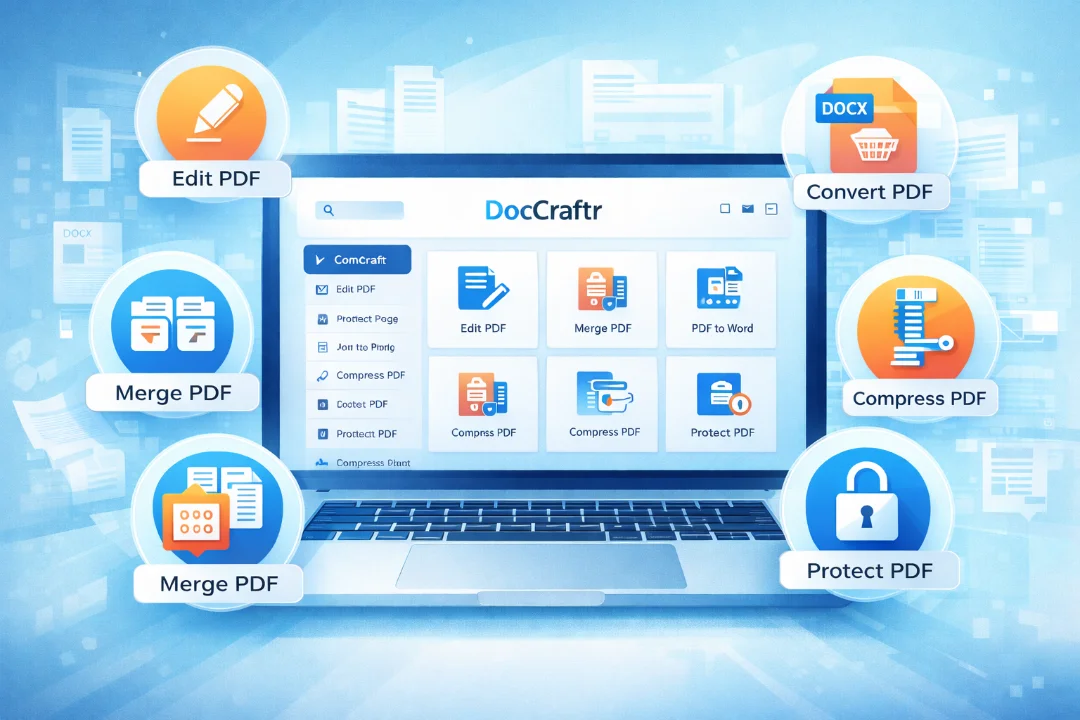
DocCraftr.com Review: The Ultimate Free Online PDF Toolkit to Edit, Convert, Compress & Secure Documents
DocCraftr.com is a powerful all-in-one platform that provides a wide range of online PDF tools designed to simplify document management. Users can edit PDFs, merge or split files, convert documents between multiple formats, compress large files, and protect sensitive information with encryption. The platform works directly in the browser, eliminating the need for installing heavy software. Its clean interface, fast processing, and comprehensive set of tools make it useful for students, professio
DocCraftr.com is a modern browser-based platform designed to simplify document management through a wide range of PDF tools. The website provides users with the ability to edit, convert, organize, compress, and secure PDF documents directly from their browser without installing software. With a clean interface and powerful features, the platform aims to deliver a fast, secure, and efficient solution for handling digital documents.
Overview of the Platform
DocCraftr is built to serve individuals, students, professionals, and businesses who frequently work with PDF documents. The website combines dozens of document utilities into one platform so users can perform multiple operations without switching between different websites or applications.
- Browser-based PDF processing
- No software installation required
- Multiple tools in one platform
- Works on desktop, tablet, and mobile devices
Website Structure and Tool Categories
The platform organizes its tools into several categories to improve usability and navigation. This structure helps users quickly locate the functionality they need.
| Category | Description |
|---|---|
| Edit & Annotate | Edit documents, sign files, add watermarks and annotations |
| Organise Pages | Merge, split, rotate, crop and manage PDF pages |
| Convert from PDF | Convert PDFs into Word, Excel, PowerPoint and images |
| Convert to PDF | Convert documents, images and webpages into PDF |
| Optimise & Compress | Reduce file size and improve document quality |
| Security & Compliance | Protect documents and manage encryption |
Editing and Annotation Features
DocCraftr provides several editing tools that allow users to modify documents without affecting the original structure. These tools help users add information, signatures, and visual elements directly inside the PDF.
- Edit PDF – Add text, shapes, and annotations
- Sign PDF – Insert digital signatures
- Redact PDF – Remove sensitive information permanently
- Watermark PDF – Add text or image watermarks
- Page Numbers – Insert custom numbering
- Fill PDF – Complete form fields and checkboxes
- Flatten PDF – Convert forms and annotations into static content
PDF Page Management
Organizing documents is a common requirement when dealing with large PDF files. DocCraftr includes tools that help users restructure documents quickly.
- Merge multiple PDF files
- Split documents into smaller files
- Reorder pages easily
- Remove unnecessary pages
- Rotate pages to correct orientation
- Crop margins and whitespace
File Conversion Capabilities
The platform offers powerful file conversion tools that allow users to transform documents between different formats. These features are especially useful for editing and sharing files across multiple applications.
Convert from PDF
- PDF to Word
- PDF to Excel
- PDF to PowerPoint
- PDF to JPG
- Extract images from PDF
- PDF to PDF/A archival format
Convert to PDF
- Word to PDF
- Excel to PDF
- PPT to PDF
- JPG to PDF
- HTML to PDF
- Scan documents to PDF
Optimization and Compression Tools
Large documents can be difficult to share or store. DocCraftr includes optimization tools that reduce file size while maintaining readability and quality.
- Compress PDF files
- Run OCR to make scanned documents searchable
- Enhance scanned documents
- Remove metadata and hidden scripts
- Compare differences between documents
Security and Document Protection
Handling confidential documents requires proper security measures. DocCraftr offers tools designed to protect and manage document security.
- Protect PDF using password encryption
- Unlock password-protected files
- Redact sensitive information
- Remove hidden metadata
Technology and Architecture
DocCraftr uses modern browser technologies to process documents efficiently. Many operations are handled directly in the browser which improves speed and privacy.
- WebAssembly processing
- Client-side document rendering
- Fast browser-based operations
- Minimal server dependency
Processing documents directly in the browser improves security and eliminates the need for large file uploads.
User Experience and Interface
The platform focuses on simplicity and ease of use. Users can process documents in just a few steps.
- Select a tool from the homepage
- Upload or drag and drop the document
- Apply the desired operation
- Download the processed file
The interface is responsive and works smoothly across desktop, tablet, and mobile devices.
Advantages of the Platform
- All PDF tools available in one platform
- No installation required
- Accessible from any device
- Fast document processing
- Secure document handling
Areas for Future Improvement
Although the platform offers a wide range of tools, future enhancements could make it even more powerful.
- AI-powered document analysis
- Automatic document summarization
- Batch file processing
- API integration for developers
- Offline progressive web application
Conclusion
DocCraftr.com is a comprehensive browser-based PDF toolkit that combines editing, conversion, optimization, organization, and security features into one platform. Its modern design and powerful functionality make document management simple and efficient for a wide range of users. By providing multiple professional tools within a single interface, the platform eliminates the need for installing complex software or using multiple services. As digital document usage continues to grow, solutions like DocCraftr play an important role in helping users manage files quickly, securely, and conveniently from anywhere.

Discussion
💬 0 comments