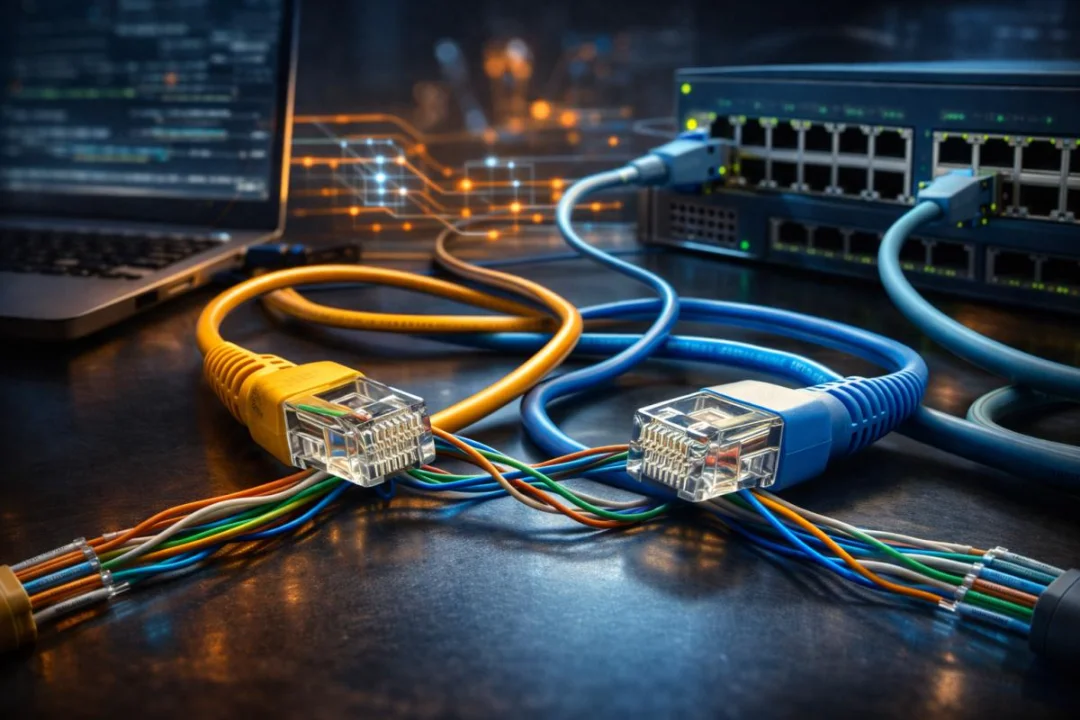
Types of Network Cables Explained: Color Codes, RJ45 Connectors, Straight-Through, Crossover, and Console Cables (CCNA Guide)
Network cables are the foundation of reliable wired communication in modern computer networks. Understanding how Ethernet cables work, including their color coding standards, connectors, and different configurations, is essential for anyone learning networking or managing IT infrastructure. This guide explains the most common cable types used in LAN environments, including straight-through cables, crossover cables, and console cables. It also covers the RJ45 connector and the widely used T568A a
Introduction
Computer networks rely on reliable physical connections to transmit data between devices. While wireless technologies have become increasingly popular, wired networking remains the backbone of most enterprise infrastructures because of its stability, speed, and security. Network cables act as the physical medium that carries digital signals between devices such as routers, switches, computers, and servers.
Understanding the different types of network cables, their connectors, and colour coding standards is essential for anyone working with networking systems. From small home networks to large data centres, properly selecting and configuring cables ensures efficient communication and minimises connectivity issues.
This article provides a comprehensive explanation of the major types of network cables used in modern networking environments, including straight-through cables, crossover cables, and console cables. It also explains connector types, wiring standards, and colour coding systems that ensure compatibility between devices.
Understanding Network Cabling in Computer Networks
Network cabling forms the foundation of wired communication systems. It provides the medium through which electrical or optical signals travel between connected devices.
In a typical Local Area Network (LAN), cables connect devices such as:
- Computers and laptops
- Network switches
- Routers
- Servers
- Network printers
- Access points
Without proper cabling, network devices would not be able to communicate efficiently.
Even in modern wireless networks, wired infrastructure remains essential for backbone connectivity and high-speed data transfer.
Main Types of Network Cables
Several types of cables are used in networking depending on the technology and required bandwidth.
| Cable Type | Description | Typical Usage |
|---|---|---|
| Twisted Pair Cable | The most common Ethernet cable has twisted copper wires | LAN connections |
| Coaxial Cable | Older cable with a central conductor and shielding | Cable internet and older networks |
| Fibre Optic Cable | Uses light signals for data transmission | High-speed backbone networks |
Among these, twisted pair Ethernet cables are the most widely used in homes and organisations.
Twisted Pair Ethernet Cables
Twisted pair cables consist of pairs of insulated copper wires twisted together to reduce electromagnetic interference. These cables are commonly used for Ethernet networking.
Categories of Ethernet Cables
- Cat5 – Supports up to 100 Mbps
- Cat5e – Supports up to 1 Gbps
- Cat6 – Supports up to 10 Gbps for shorter distances
- Cat6a – Improved shielding and higher speeds
- Cat7 – Advanced shielding for high-performance networks
Each category is designed to support higher data transmission speeds and improved interference protection.
Ethernet Cable Colour Coding Standards
Ethernet cables follow standardised wiring schemes that define the order of colored wires inside the cable connector. The two widely used standards are T568A and T568B.
T568A Colour Code
| Pin | Wire Color |
|---|---|
| 1 | White/Green |
| 2 | Green |
| 3 | White/Orange |
| 4 | Blue |
| 5 | White/Blue |
| 6 | Orange |
| 7 | White/Brown |
| 8 | Brown |
T568B Colour Code
| Pin | Wire Color |
|---|---|
| 1 | White/Orange |
| 2 | Orange |
| 3 | White/Green |
| 4 | Blue |
| 5 | White/Blue |
| 6 | Green |
| 7 | White/Brown |
| 8 | Brown |
Both standards function similarly, but networks usually adopt one standard consistently to maintain compatibility.
Network Cable Connectors
Connectors allow network cables to connect with networking devices. The most commonly used Ethernet connector is the RJ-45 connector.
RJ-45 Connector
RJ-45 connectors contain eight pins corresponding to the eight wires inside twisted pair cables. These connectors are used to attach cables to devices such as switches, routers, and computers.
Key Characteristics
- 8-pin modular connector
- Used with Cat5, Cat6, and Cat7 cables
- Supports Ethernet networking
- Standard interface for LAN devices
Straight-Through Ethernet Cable
A straight-through cable is the most common type of Ethernet cable used in networking. In this configuration, the wiring standard is identical on both ends of the cable.
Configuration
- T568A on both ends
- Or T568B on both ends
Typical Uses
- Computer to switch
- Computer to router
- Switch to the router
- Access point to switch
Straight-through cables connect dissimilar devices, meaning devices that perform different roles within a network.
Crossover Ethernet Cable
A crossover cable is designed to connect similar devices directly without using a switch or router. In this cable type, one end uses the T568A wiring scheme and the other uses T568B.
Configuration
- One end: T568A
- Other end: T568B
Common Uses
- Computer-to-computer connection
- Switch to switch
- Router to router
- Hub to hub
The crossover design swaps transmit and receive pairs so that devices can communicate directly.
Modern networking devices often support Auto-MDI/MDIX technology, which automatically detects cable type and adjusts communication accordingly.
Console Cable
A console cable is used for device management rather than normal network data transmission. Network administrators use console cables to configure networking devices such as routers and switches.
Purpose of Console Cables
- Access device configuration
- Troubleshoot network devices
- Perform firmware updates
- Initial router or switch setup
Console Cable Characteristics
- Usually light blue in colour (Cisco standard)
- Uses an RJ-45 connector on one side
- Serial or USB connection on the other side
- Provides command-line interface access
Console cables connect a computer directly to a router or switch for administrative configuration.
Differences Between Straight-Through, Crossover, and Console Cables
| Cable Type | Purpose | Connection Example |
|---|---|---|
| Straight-Through | Connect different network devices | PC to Switch |
| Crossover | Connect similar network devices | PC to PC |
| Console Cable | Device configuration and management | PC to Router Console Port |
Best Practices for Network Cabling
Proper installation and management of network cables improve network reliability and simplify troubleshooting.
- Follow consistent colour coding standards
- Label cables clearly
- Avoid sharp cable bends
- Use cable management systems
- Keep cables away from electrical interference
These practices help maintain network performance and reduce maintenance challenges.
Future of Network Cabling
While wireless technologies continue to evolve, high-speed wired networks remain essential for enterprise infrastructure, data centres, and high-bandwidth applications.
Fibre optic cables are becoming increasingly common due to their ability to support extremely high speeds and long-distance communication.
However, Ethernet twisted pair cables will continue to play a crucial role in local networks because of their affordability and ease of deployment.
Conclusion
Network cables are fundamental components of modern communication systems. Understanding the various cable types, connectors, and colour coding standards is essential for building reliable and efficient networks. Twisted pair Ethernet cables remain the most widely used medium in local area networks, providing cost-effective and dependable connectivity.
Straight-through cables enable communication between different network devices, while crossover cables allow similar devices to connect directly. Console cables serve a specialised role by giving administrators direct access to network device configuration and management interfaces.
By mastering these cabling standards and understanding their practical applications, network engineers and technology enthusiasts can design, troubleshoot, and maintain networks more effectively. Proper cabling practices not only improve network performance but also ensure long-term reliability in both small and large networking environments.

Discussion
💬 0 comments