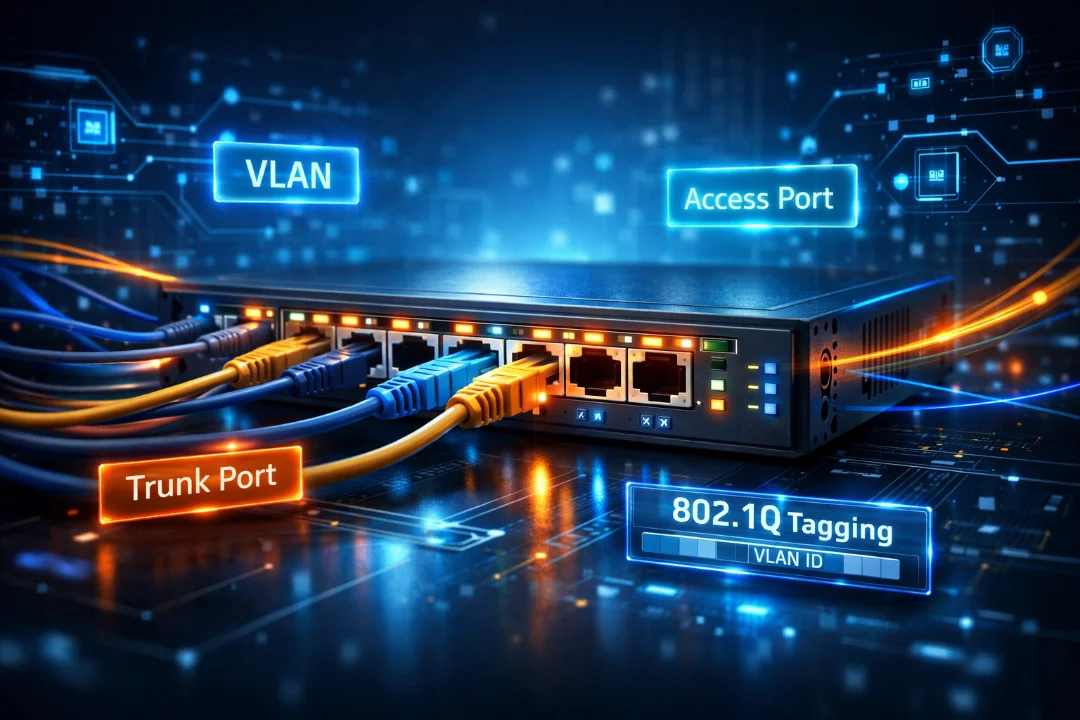
CCNA 200-301 Switch Interfaces Explained with Real Examples
Switch interfaces are a core concept in networking that define how devices communicate within a LAN. This guide explains access ports, trunk ports, VLAN tagging, and switch configuration in a simple and practical way. It helps build a strong foundation for CCNA 200-301 while also providing real-world understanding of how modern networks operate efficiently and securely.
Switch Interfaces – CCNA 200-301 Complete In-Depth Guide
This comprehensive guide explores switch interfaces in depth, covering theoretical foundations, practical configurations, real-world scenarios, troubleshooting, and exam-oriented insights for CCNA 200-301.
Introduction to Switch Interfaces
In modern networking environments, switches serve as the backbone of Local Area Networks (LANs). They enable communication between devices such as computers, servers, printers, and IP phones. At the core of a switch's functionality are its interfaces—also known as ports—which act as entry and exit points for data frames.
A switch interface is not just a physical port; it is a configurable entity that determines how data is handled, tagged, forwarded, and segregated. For CCNA 200-301 aspirants, understanding switch interfaces is critical because it directly impacts network segmentation, scalability, and security.
Switch interfaces can operate in different modes depending on the network design. The most important classifications include access ports and trunk ports. These define how VLAN traffic is managed and transmitted.
Understanding Ethernet Frames and Switching Basics
Before diving deeper into switch interfaces, it is important to understand how switches operate at Layer 2 (Data Link Layer). Switches forward Ethernet frames based on MAC addresses stored in their MAC address table.
- Each frame contains source and destination MAC addresses
- Switches learn MAC addresses dynamically
- Frames are forwarded based on MAC table entries
Switch interfaces are responsible for receiving these frames, processing them, and forwarding them appropriately. The behavior of an interface depends on its configuration, particularly whether it is assigned to a VLAN or configured as a trunk.
What is a VLAN?
A Virtual Local Area Network (VLAN) is a logical grouping of devices within a network, regardless of their physical location. VLANs allow network administrators to segment networks into smaller, isolated broadcast domains.
For example, a company can create separate VLANs for HR, IT, and Sales departments, even if all devices are connected to the same switch infrastructure.
- VLAN 10: HR Department
- VLAN 20: IT Department
- VLAN 30: Sales Department
Each VLAN acts like a separate network, improving performance and security by limiting broadcast traffic.
Types of Switch Interfaces
1. Access Ports
An access port is a switch interface configured to belong to a single VLAN. It is primarily used to connect end devices such as laptops, desktops, printers, and IP phones.
When a frame enters an access port, it is considered untagged. The switch internally associates the frame with the VLAN assigned to that port.
- Belongs to only one VLAN
- Does not add VLAN tags to frames
- Simple configuration
- Ideal for end-user connectivity
For example, if a PC is connected to an access port assigned to VLAN 10, all traffic from that PC is automatically associated with VLAN 10.
2. Trunk Ports
A trunk port is designed to carry traffic for multiple VLANs simultaneously. It is commonly used between switches, routers, and servers that need access to multiple VLANs.
Unlike access ports, trunk ports use VLAN tagging to identify which VLAN a frame belongs to.
- Supports multiple VLANs
- Uses IEEE 802.1Q tagging
- Essential for inter-switch communication
Trunking significantly reduces the need for multiple physical connections, making the network more scalable and efficient.
Access vs Trunk Port – Detailed Comparison
| Feature | Access Port | Trunk Port |
|---|---|---|
| VLAN Membership | Single VLAN | Multiple VLANs |
| Frame Tagging | No tagging | Uses 802.1Q tagging |
| Typical Usage | End devices | Switch-to-switch links |
| Configuration Complexity | Simple | Moderate |
| Traffic Type | Untagged | Tagged (except native VLAN) |
VLAN Tagging – IEEE 802.1Q Explained
IEEE 802.1Q is the standard used for VLAN tagging. It inserts a tag into the Ethernet frame that identifies the VLAN ID.
This tag contains:
- VLAN ID (12 bits)
- Priority information
- Tag protocol identifier
When a frame travels across a trunk link, the tag ensures that the receiving switch knows which VLAN the frame belongs to.
Once the frame reaches an access port, the tag is removed before forwarding it to the end device.
Native VLAN Concept
The native VLAN is the VLAN that carries untagged traffic on a trunk port. By default, VLAN 1 is the native VLAN on Cisco switches.
- Untagged frames belong to native VLAN
- Must match on both ends of trunk
- Changing default VLAN improves security
A mismatch in native VLAN configuration can lead to connectivity issues and security vulnerabilities.
Switchport Modes in Detail
Cisco switches support different operational modes for interfaces:
- Access Mode: Forces port to act as access port
- Trunk Mode: Forces port to act as trunk
- Dynamic Auto: Passive mode for trunk negotiation
- Dynamic Desirable: Actively attempts trunking
These modes rely on DTP (Dynamic Trunking Protocol) for negotiation.
Dynamic Trunking Protocol (DTP)
DTP is a Cisco proprietary protocol used to automatically negotiate trunk links between switches.
- Simplifies configuration
- Can cause security risks if misused
- Often disabled in modern networks
Best practice is to manually configure trunk ports and disable DTP when not required.
Configuring Switch Interfaces
Access Port Configuration
Switch(config)# interface fastEthernet0/1
Switch(config-if)# switchport mode access
Switch(config-if)# switchport access vlan 10
Switch(config-if)# spanning-tree portfast
Trunk Port Configuration
Switch(config)# interface gigabitEthernet0/1
Switch(config-if)# switchport mode trunk
Switch(config-if)# switchport trunk allowed vlan 10,20,30
Switch(config-if)# switchport trunk native vlan 99
Verification Commands
- show vlan brief
- show interfaces trunk
- show interfaces switchport
- show running-config
Real-World Network Scenario
Consider a corporate network with multiple departments spread across floors. Each floor has a switch, and all switches are interconnected.
Each switch has:
- Access ports for employees
- Trunk ports connecting to other switches
When a user from VLAN 10 on Switch A communicates with another user on Switch B, the trunk link ensures that VLAN information is preserved across switches.
Inter-VLAN Communication
Devices in different VLANs cannot communicate directly because VLANs are separate broadcast domains.
To enable communication, a Layer 3 device is required:
- Router-on-a-stick: Uses trunk link with router subinterfaces
- Layer 3 Switch: Uses SVIs (Switch Virtual Interfaces)
Common Problems and Troubleshooting
- VLAN mismatch: Devices unable to communicate
- Trunk mismatch: One side trunk, other access
- Native VLAN mismatch: Causes packet drops
- Incorrect allowed VLAN list: Traffic blocked
Troubleshooting involves verifying configurations and checking interface status.
Best Practices for Switch Interfaces
- Always disable unused ports
- Use descriptive interface names
- Avoid default VLAN 1
- Manually configure trunk ports
- Implement port security
- Document configurations properly
Security Considerations
Switch interfaces are often targeted for attacks such as VLAN hopping. Proper configuration helps mitigate these risks.
- Disable DTP
- Change native VLAN
- Use access ports where possible
- Enable port security
Advanced Topics for Deeper Understanding
Voice VLAN
Voice VLANs are used for IP phones to separate voice traffic from data traffic, ensuring better quality of service.
Private VLANs
Private VLANs provide additional segmentation within a VLAN, improving security in shared environments.
EtherChannel
EtherChannel combines multiple physical links into one logical link, increasing bandwidth and redundancy.
Exam Tips for CCNA 200-301
- Understand access vs trunk ports clearly
- Memorize key commands
- Practice configurations in labs
- Understand VLAN tagging deeply
- Focus on troubleshooting scenarios
Conclusion
Switch interfaces are a fundamental concept in networking and a core component of the CCNA 200-301 syllabus. A deep understanding of access ports, trunk ports, VLAN tagging, and switchport configurations allows network engineers to design scalable, efficient, and secure networks. Access ports provide simplicity and are ideal for connecting end devices, while trunk ports enable the transmission of multiple VLANs across a single link, optimizing infrastructure usage. Mastering these concepts not only ensures success in certification exams but also builds a strong foundation for real-world networking roles where precision, troubleshooting, and efficient design are critical.

Discussion
💬 0 comments